
The HTTP server from part
3
serves JSON. But net/http doesn’t care what you hand it: HTML, an image, a
stylesheet, a whole little site, it’s all just bytes with a content type. So
before we get back to the API in part 4, a short detour to prove the point and
pick up a couple of genuinely useful tools: we’ll turn the macguffin service into
a tiny website.
This is a bonus, off to the side of the API arc, but it earns its place. Real services nearly always grow a bit of HTML eventually: a status page, a landing page, a small admin view, an embedded docs site (we’ll do exactly that in part 5). The mechanics are the same every time, and worth having in hand.
A page from html/template
Go’s html/template renders HTML from a template and your data, and it escapes
that data on the way out, so a macguffin called <script> becomes text rather
than a problem. Here’s a page that lists the catalogue:
<!-- internal/site/templates/index.html -->
<!doctype html>
<html lang="en">
<head>
<meta charset="utf-8" />
<title>Macguffins</title>
<link rel="stylesheet" href="/static/style.css" />
</head>
<body>
<h1>The macguffin catalogue</h1>
<ul>
{{range .}}
<li>{{.Name}} <span class="qty">×{{.Quantity}}</span></li>
{{end}}
</ul>
</body>
</html>
{{range .}} walks the slice we pass in, and {{.Name}} / {{.Quantity}} read
each macguffin’s fields. The data is the same Store from part 2, so the page is
a view onto the very same domain the gRPC and JSON APIs serve.
Shipping the files inside the binary
A template and a stylesheet are files, and you do not want to deploy a folder of
loose assets next to your binary and hope they line up. Go’s embed package
bakes them into the binary at build time, so the whole thing ships as one file.
// internal/site/site.go

package site

import (
	"embed"
	"html/template"
	"io/fs"
	"net/http"

	"gitlab.com/myorg/macguffinsvc/internal/macguffin"
)

//go:embed templates static
var content embed.FS

var tmpl = template.Must(template.ParseFS(content, "templates/index.html"))

type Site struct {
	store *macguffin.Store
}

func New(store *macguffin.Store) *Site {
	return &Site{store: store}
}

func (s *Site) Routes() *http.ServeMux {
	static, err := fs.Sub(content, "static")
	if err != nil {
		panic(err) // the embedded path is a compile-time constant
	}

	mux := http.NewServeMux()
	mux.HandleFunc("GET /{$}", s.index)
	mux.Handle("GET /static/", http.StripPrefix("/static/", http.FileServer(http.FS(static))))

	return mux
}

func (s *Site) index(w http.ResponseWriter, _ *http.Request) {
	if err := tmpl.Execute(w, s.store.List()); err != nil {
		http.Error(w, err.Error(), http.StatusInternalServerError)
	}
}
Three things are doing the work. //go:embed templates static pulls both folders
into the content filesystem. template.ParseFS parses the page from it once at
startup. And http.FileServer(http.FS(static)) serves the stylesheet (and
anything else under static/) straight from the embedded files, with content
types set for you, so GET /static/style.css comes back as text/css.
The GET /{$} pattern is worth a note: the {$} anchors it to the exact root
path, so / renders the page but /anything-else doesn’t accidentally match it.
If you’d rather edit templates without rebuilding during development, swap the
embedded filesystem for the real one: http.FileServer(http.Dir("static")), and
template.ParseGlob instead of ParseFS. Embed for release, disk for the
edit-refresh loop; the handlers don’t change.
On the same server
Routes() hands back a *http.ServeMux, which is an http.Handler, so it
registers exactly like the JSON API did, on the same controller, with the same
TLS:
// pkg/cmd/serve/main.go (or a dedicated command)

if _, err := gtbhttp.Register(ctx, "site", controller, p.Config, p.Logger,
	site.New(store).Routes()); err != nil {
	return err
}
Because the certificate is the mkcert one from part 2, opening
https://localhost:8443/ renders the page, stylesheet and all, with a clean
padlock on any machine that trusts your local CA (where you ran mkcert -install); anywhere else, the browser flags the cert, exactly as it should.
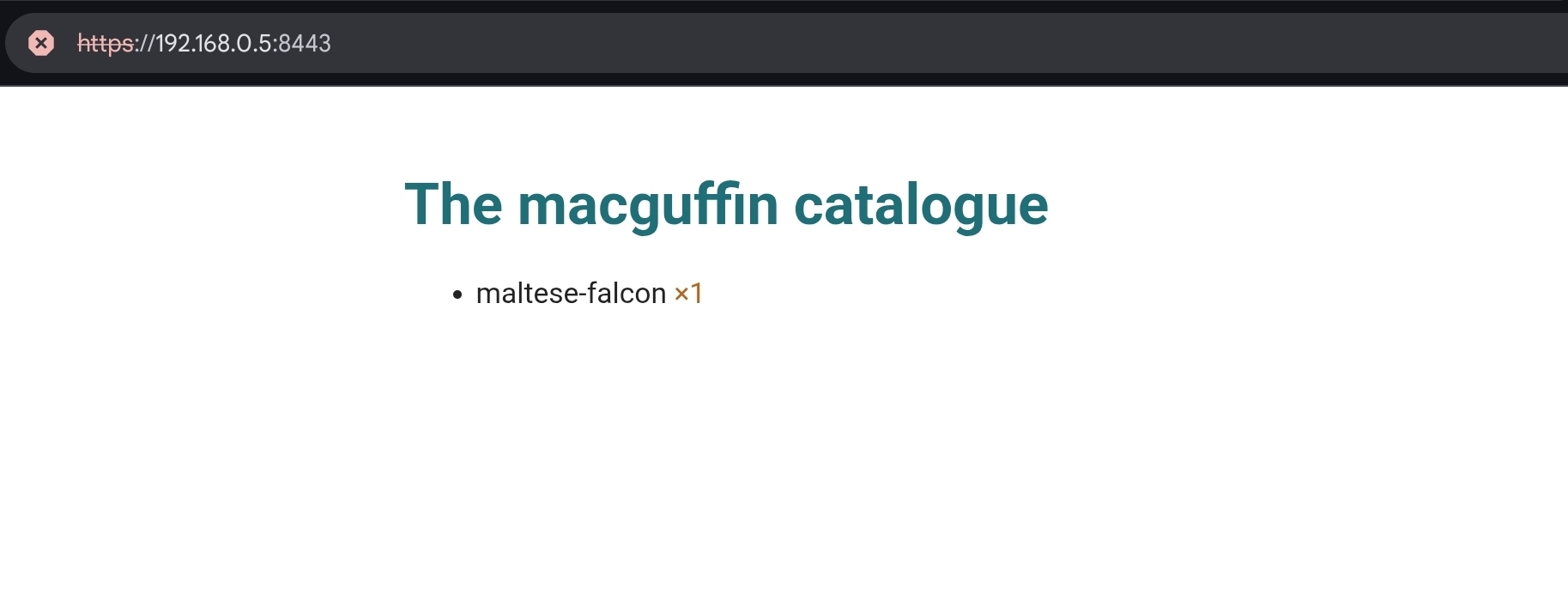
The same hardened server, the same graceful shutdown, the same /healthz, now
serving a website instead of (or alongside) JSON.
Back to the API
That’s the whole trick: the HTTP server is just net/http, and it will serve
whatever you point it at, escaped and content-typed properly, shipped inside the
binary. We’ll use exactly this in part 5 to serve interactive API docs.
Detour over. In part 4 we get back to the API and finally deal with that duplicated REST layer, the one we wrote twice and promised to delete.